
Definition
To achieve clean inbox is to keep the number of emails in your inbox constantly at 0 after you process them.
Why Clean Inbox
At work, our inbox is more than just a tool for person-to-person communication – it serves as a hub for all sorts of notifications, those from Jira, Confluence, Google Docs, Github, etc. Having a clean inbox allows me to stay on top of every moving piece and focus on what really matters.
Summary
Here is a high-level summary of email statuses and their corresponding actions that help me reach this goal.
| Email Status | Action |
| Emails I never need to read | Filter + Skip inbox |
| Emails I read but need to revisit | Snooze |
| Emails I read and processed | Archive |
Explanations
Broadly speaking, status of any emails falls under one of the three buckets below:
- Those you never need to read
- Those you read but need to revisit
- Those you read and processed
For each status, there is an action to help achieve clean inbox. Gmail is used for the examples below.
- Filter: create Gmail filters and mark those emails you will never read (Status #1) as “Skip Inbox“. This will reduce the amount of emails going to your inbox significantly and keep you focused on what really needs your attention.
- Snooze: Gmail allows you to snooze an email until a future point. This will remove the email from your inbox and re-surface it when it’s the time. It allows you to punt on any non-urgent emails that require actions from you (Status #2), and motivates you to better plan your day or week by setting the revisit time.
- Archive: By archiving emails, you explicitly remove those emails you already read and processed (Status #3) from your inbox. If you effectively use Archive alongside Snooze, the only emails left in your inbox are unread emails.
Personal Experience
I used to let every email sit in my inbox. This approach had a problem – I cannot differentiate those I already read and processed vs. those I read but need to revisit, because they all look the same once I click on them. Needless to say, this is not efficient and creates unnecessary cognitive load.
It took me weeks to get used to this archiving + snoozing style after my colleague first introduced me to this approach. At the beginning it felt weird and unintuitive to add a few steps in addition to the action of reading. The power of clean inbox started to manifest itself after I was able to hit the goal at least once a week, especially before the end of a week – this gives me a full closure of the past week and motivation to start a new one since I know things are under control.
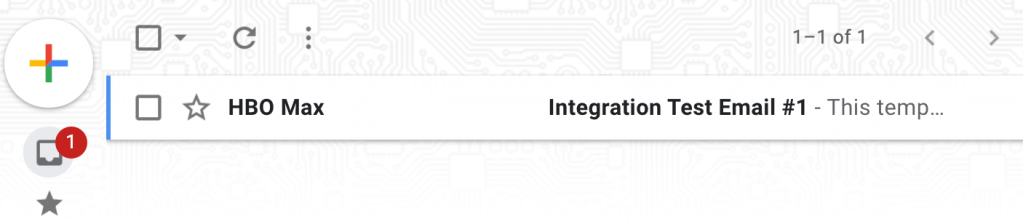
Once the ideal state is reached, maintaining the state becomes a pleasure. It’s not an exaggeration whatsoever – my brain craves that “No new mail!” message. When a new email arrives, I feel the positive vibe of getting things back to the state of “clean”, compared to the feeling of overwhelming or procrastinating when there are 20+ emails waiting for me to process.
 Welcome to Shaobo's Blog!